

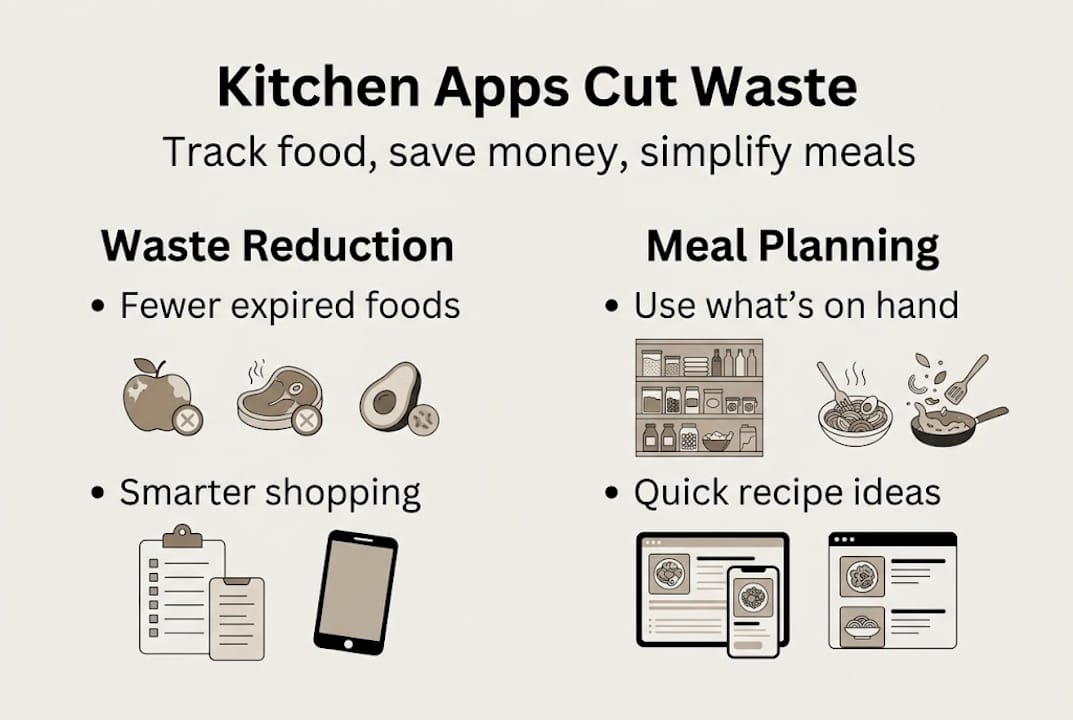
Most families don’t realize how much food they’re quietly throwing away every week. The EPA estimates $2,900 lost per household annually to forgotten groceries and poor planning. That’s not a rounding error. That’s a car payment, a vacation, or months of groceries. Real-life kitchen apps are designed to fix exactly this problem by turning your existing ingredients into a practical, stress-free meal plan. This guide breaks down what these apps actually do, how they work day to day, and whether they’re worth your time.
Table of Contents
-
Real impact: Can kitchen apps actually save money and reduce waste?
-
Choosing and using kitchen apps effectively: Key features, trade-offs, and limitations
-
Is a real-life kitchen app right for you? Decision-making checklist
-
Ready to reclaim your kitchen? Try a real-life kitchen app today
Key Takeaways
| Point | Details |
|---|---|
| Major cost savings | Using a real-life kitchen app can help save hundreds of dollars by reducing food waste and optimizing grocery shopping. |
| App success requires habits | Consistent pantry updates and family engagement make kitchen apps truly effective. |
| No single app fits all | Different apps favor inventory management, recipes, or AI helpers—choose what matches your lifestyle. |
| Start simple for impact | Even basic app features paired with small routine changes can drastically improve meal planning and waste reduction. |
What is a real-life kitchen app?
A real-life kitchen app is a digital assistant that lives on your phone and helps you manage what’s in your kitchen. It’s not just a recipe browser. It’s a full system that tracks what you own, what’s about to expire, and what you can cook right now without a grocery run.
According to a review of leading tools, a real-life kitchen app typically combines pantry tracking, barcode scanning, expiry alerts, recipe matching, and shopping list automation into one place. That combination is what separates these apps from a simple recipe website.
Here’s what the core features look like in practice:
-
Pantry inventory: You log what you have at home, either by typing, scanning barcodes, or uploading a photo.
-
Expiry alerts: The app reminds you when items are about to go bad so you use them before they’re trash.
-
Recipe matching: Based on your actual pantry, the app suggests meals you can make today.
-
Auto-generated shopping lists: When you pick a recipe, the app only adds what you’re missing, not what you already have.
-
Barcode and voice input: Faster ways to add groceries as you unpack them.
AI recipe apps have built large followings precisely because they focus on this inventory-first approach. The practical outcome for busy households is fewer duplicate purchases, cleaner fridges, and a lot less mental energy spent figuring out what’s for dinner.
How do these apps work in practice?
Knowing what a kitchen app offers is one thing. Seeing how it fits into a real Tuesday evening is another. Here’s the typical flow:
-
Build your digital pantry. On day one, you input your ingredients. Users build their digital pantry manually or via scan and voice, and the app matches those ingredients to a recipe database. This initial setup takes 30 to 45 minutes, but you only do it once.
-
Get recipe suggestions. The app scans your pantry and surfaces meal ideas from pantry contents you already own. No scrolling through endless recipes that require 14 ingredients you don’t have.
-
Generate a smart shopping list. When you choose a recipe, the app checks your pantry and only lists what’s missing. No more buying a second bottle of cumin.
-
Sync with your household. Most apps let you share your pantry and shopping list with a partner or family member, so everyone’s on the same page.
-
Let the app learn your habits. Over time, better apps personalize suggestions based on what you cook most and flag items you tend to forget.
Pro Tip: Scan groceries as you unpack them, not after you’ve put everything away. It takes 90 seconds and keeps your pantry accurate without any extra effort.
The walkthrough shows how quickly this process becomes second nature. Most users report that after two weeks, checking the app before cooking feels as automatic as checking the weather before leaving the house.

Real impact: Can kitchen apps actually save money and reduce waste?
Let’s get into the numbers, because this is where skeptics either get convinced or walk away.
The average American household wastes 25% of groceries they buy. For a family of four, that can mean $1,500 to $2,900 in food thrown out every year. Kitchen apps that combine tracking and planning have shown a 29 to 39% reduction in dinner food waste among trial users.
| Household size | Estimated annual waste | Potential savings with app use |
|---|---|---|
| Single adult | $700 to $950 | $200 to $370 |
| Couple | $1,100 to $1,600 | $320 to $620 |
| Family of 4 | $1,500 to $2,900 | $435 to $1,130 |
Those aren’t small numbers. But the key word in every study is consistent. Apps work when you actually use them.
“Consistent app use translates into notable household savings and measurable waste reductions, but only when pantry data stays current.” — Meal Planning Study
The behavior change required is modest but real. You need to update your pantry when you shop, check the app before ordering takeout, and actually cook the meals it suggests. The technology does the heavy lifting. You just have to show up.
Choosing and using kitchen apps effectively: Key features, trade-offs, and limitations
Not every kitchen app is built the same way. Before you commit to one, it helps to understand the three main types:
-
Inventory-centric apps focus on what you have and generate recipes from that. Best for reducing waste.
-
Recipe-first apps give you meal plans and then build a shopping list. Better for variety but less focused on using existing ingredients.
-
AI and chatbot solutions let you describe what’s in your fridge and get instant suggestions. Great for quick ideas but no ongoing tracking.
Here’s a quick comparison to help you decide:
| Feature | Inventory-centric | Recipe-first | AI chatbot |
|---|---|---|---|
| Uses what you have | Yes | Partial | Yes (one-time) |
| Ongoing pantry tracking | Yes | Sometimes | No |
| Expiry alerts | Yes | Rarely | No |
| Family sharing | Some | Yes | No |
| Cost | Free to $10/month | $8 to $15/month | Free |
Manual setup and limited barcode accuracy are the two most common frustrations users report. Barcode scanning works well for packaged goods but struggles with fresh produce. Premium tiers often unlock better syncing, unlimited scanning, and ad-free use.
For families with picky eaters or dietary restrictions, filters matter a lot. Look for apps that let you exclude ingredients or flag allergens. Family meal customization features can be the difference between an app your household actually uses and one that collects dust.
Pro Tip: Prioritize expiry alerts and ingredient-based recipes when evaluating any kitchen app. Those two features alone will save you more money than any other combination.
Is a real-life kitchen app right for you? Decision-making checklist
Before you download anything, run through this checklist. It’s the fastest way to know if a kitchen app will actually stick in your household.
-
Do you regularly throw away expired food? If yes, expiry alerts alone will pay for any premium subscription within a month.
-
Do you buy duplicates at the grocery store? A pantry tracker eliminates this almost immediately.
-
Is deciding what to cook a daily stressor? Recipe matching from your actual ingredients removes that decision entirely.
-
Are you willing to spend 30 to 45 minutes setting up your digital pantry? That’s the real entry cost. The app handles everything after that.
-
Will your family actually use shared features? If only one person updates the pantry, the app still works. But shared use multiplies the benefit.
Success with kitchen apps hinges on regular pantry updates and matching the app’s features to your family’s actual habits. If you answered yes to at least three of the questions above, a kitchen app will likely deliver real value for your household. If you answered yes to all five, you’re practically guaranteed to see results.
The checklist also helps you set realistic expectations. These apps are not magic. They’re tools that work when you use them consistently.
Why behavior change matters more than the perfect app
Here’s the part most app reviews skip entirely. The app you choose matters far less than the habits you build around it.
Every kitchen app has a competitor with slightly better features, a cleaner interface, or a lower price. But 31% of household food waste is preventable, and the biggest reductions come from combining technology with simple physical cues, like an “eat me first” bin in the front of your fridge or a weekly five-minute pantry check every Sunday.
The families who save the most money aren’t using the fanciest app. They’re the ones who’ve built a small ritual around it. Scan groceries when they come in. Check the app before ordering takeout. Move items close to expiry to the front shelf.
Free AI tools can actually be a smart low-barrier starting point. Take a photo of your fridge, ask a chatbot what to make, and cook it. No setup required. Once that habit feels natural, graduating to a full kitchen app with tracking and planning becomes easy rather than overwhelming.
Consistency always beats features. A basic app you use every day will outperform a premium app you open twice a month.
Ready to reclaim your kitchen? Try a real-life kitchen app today
If the numbers in this article surprised you, you’re not alone. Most households are losing hundreds of dollars a year simply because they don’t know what’s already in their kitchen.
The good news is that fixing it doesn’t require a lifestyle overhaul. It starts with one app, one pantry setup, and one week of actually checking what you have before you cook. Discover What’s for Dinner and see how quickly ingredient-based meal planning changes your grocery bill and your stress level. getWhatsForDinner.app lets you input ingredients by voice, barcode, or typing and instantly generates personalized recipes from what you already own. Your kitchen is already stocked. Let’s use it.
Frequently asked questions
What features should I prioritize in a kitchen app for my family?
Focus on expiry alerts and ingredient-based recipes first, then add family sharing if multiple people manage meals in your household. Those three features deliver the most practical value for busy families.
Are free kitchen apps effective, or do I need a premium subscription?
Free tiers handle basic tracking and recipe suggestions well. Premium unlocks better syncing and unlimited scanning, which matters most for larger households or frequent shoppers.
Can a kitchen app really reduce food waste in my home?
Yes. Consistent use of tracking and planning tools has shown a 29 to 39% reduction in dinner food waste among regular users, which translates to real dollar savings over time.
What’s the main challenge of using a kitchen app long-term?
Staying consistent with pantry updates is the hardest part. Updating your pantry weekly after grocery trips is the single habit that determines whether the app delivers results or sits unused.
Are AI or chatbot meal ideas a good alternative to kitchen apps?
AI tools are great for quick, one-off recipe ideas from fridge contents, but they lack ongoing tracking and inventory management. Think of them as a starting point, not a long-term system.